Your price book
Bring your price book without retyping it.
Export your services, parts and prices as a CSV from the system you use now, or save your spreadsheet as one. Everglow reads the columns by what they mean, shows you what it found, and asks you about anything it is not sure of. Nothing is added until you have seen the result and approved it.
- Bring a CSV. Your own column names and order are fine, and so are dollar signs, blank rows and columns Everglow does not need.
- See what Everglow found. How many new items, how many match items you already have, and how many need a look.
- Check how each column maps. Every column is marked Confident, Review or Unmapped, with an example value. Anything Everglow cannot place, you map or ignore.
- Decide the uncertain rows. A missing price, the same code used twice, or an item with the same name as one you already have is shown to you with the reason. It is never merged or guessed.
- Preview, approve, import. You see your price book as it will look. After import, every row in the file is accounted for: added, updated, already the same, skipped or ignored.
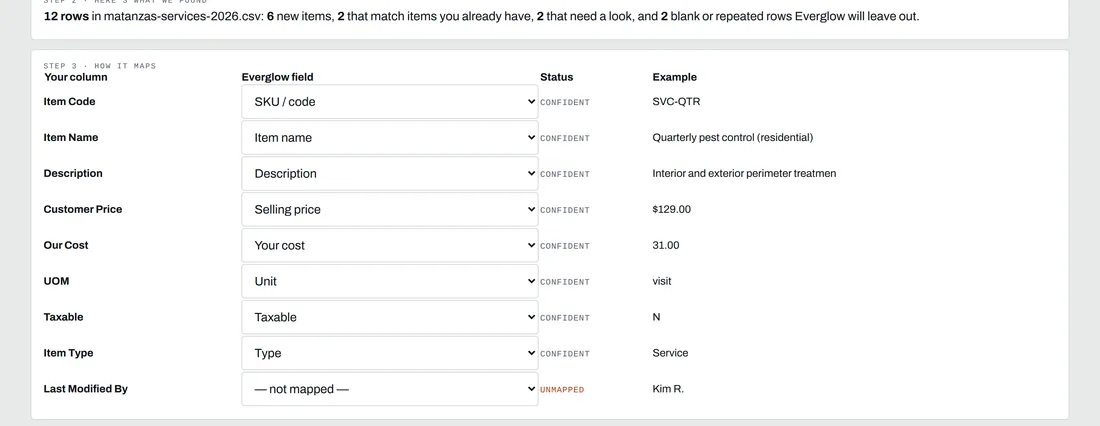 A real import at Matanzas Pest Control, a demo company: every column placed by meaning, one it did not recognize left for you.
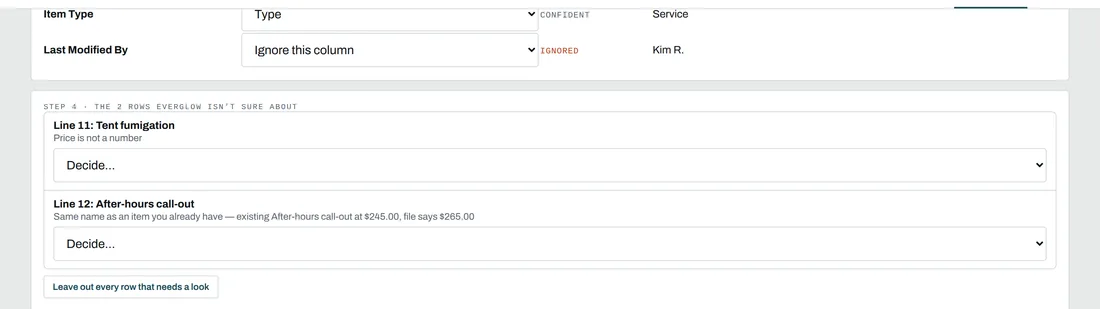 The two rows it was not sure about, with the reason for each. You decide.
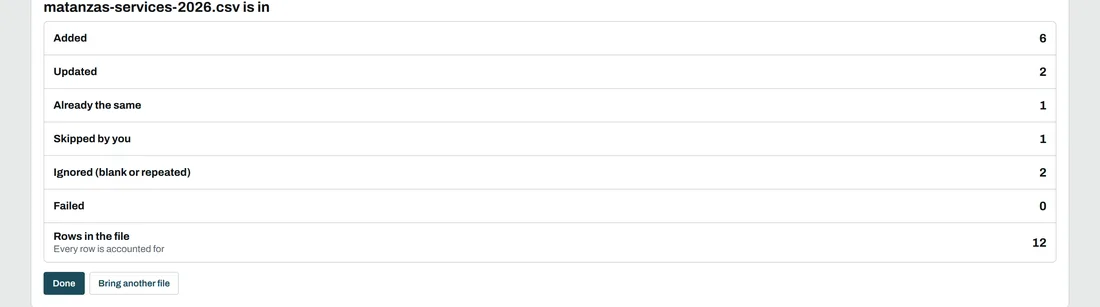 After import, the file reconciles: 12 rows, every one accounted for.
CSV files only for now. If your price list is in Excel, open it and save it as CSV first. This import covers your price book: services, parts, materials and fees with their prices, costs, units and codes.